Encoding and Decoding: Build a Repeatable Transformation Recipe

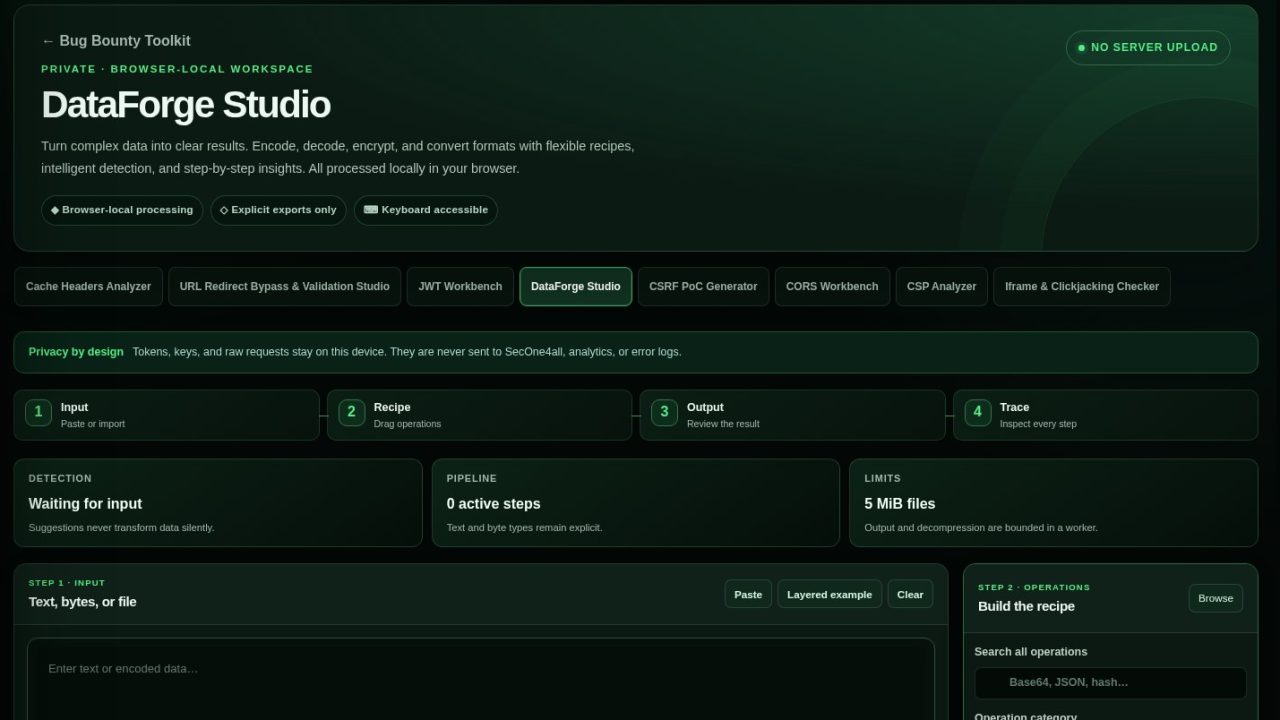
DataForge applies an ordered recipe of encoding, decoding, and text transformations. The input, pipeline, step results, and final result remain visible so every change can be traced.
What this feature does
DataForge applies an ordered recipe of encoding, decoding, and text transformations. The input, pipeline, step results, and final result remain visible so every change can be traced. The walkthrough below follows the current interface in the order shown on screen, and each step includes its own matching image.
Workflow at a glance
- 1.Enter the source data
- 2.Add a transformation
- 3.Build the pipeline
- 4.Run and inspect each stage
- 5.Use the final result
How to use the feature
Step 1: Enter the source data
Paste or type the source data in the Input area.
What you will see: The exact text becomes the starting value for the recipe.
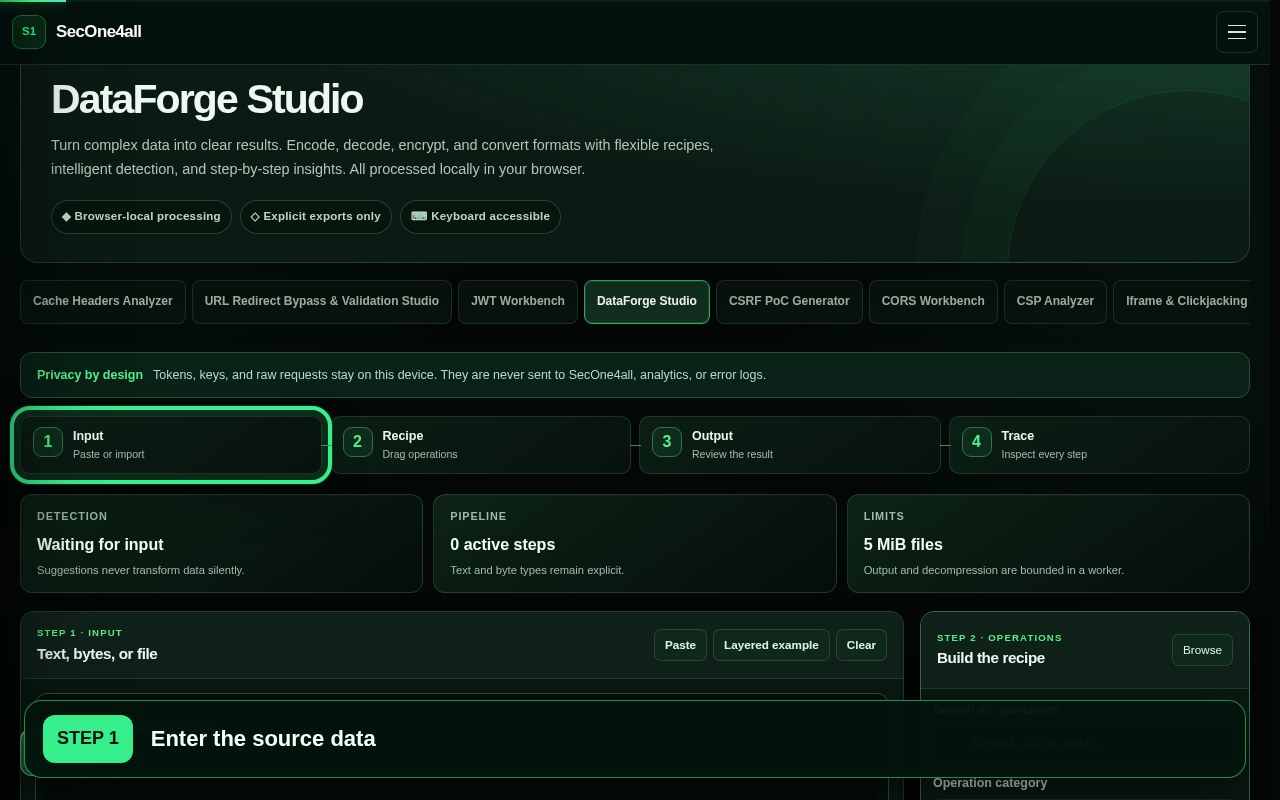
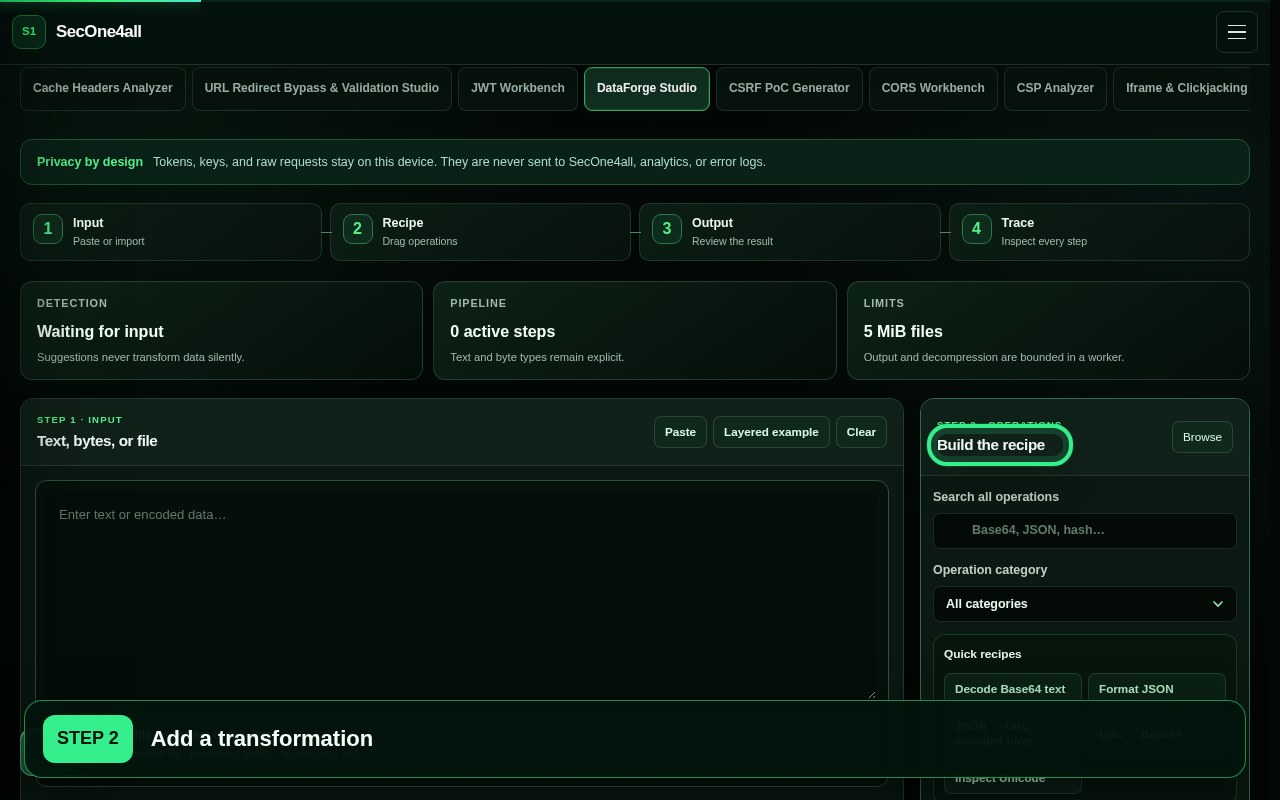
Step 2: Add a transformation
Choose a transformation in Build the recipe and add it to the pipeline.
What you will see: The operation appears as the next recipe step.
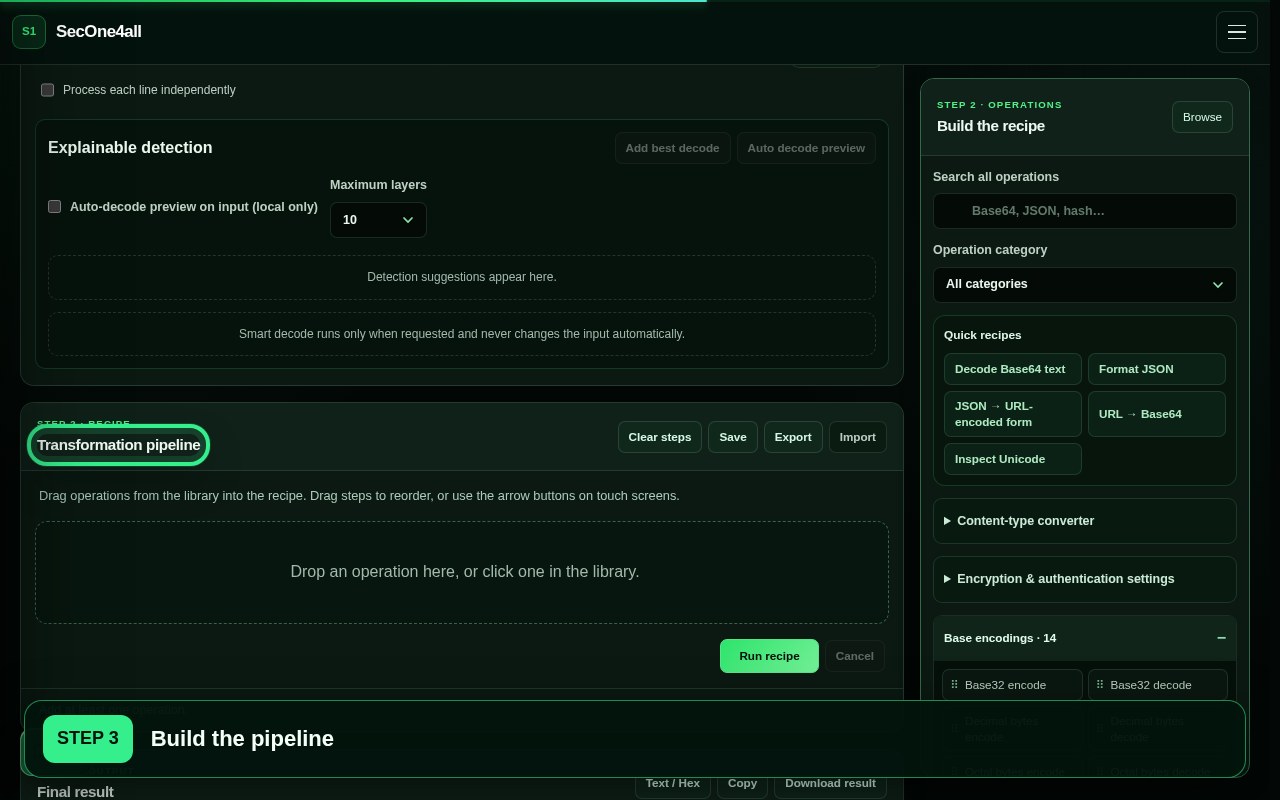
Step 3: Build the pipeline
Add, remove, or reorder operations in Pipeline until they match the intended sequence.
What you will see: The recipe now documents the complete transformation chain.
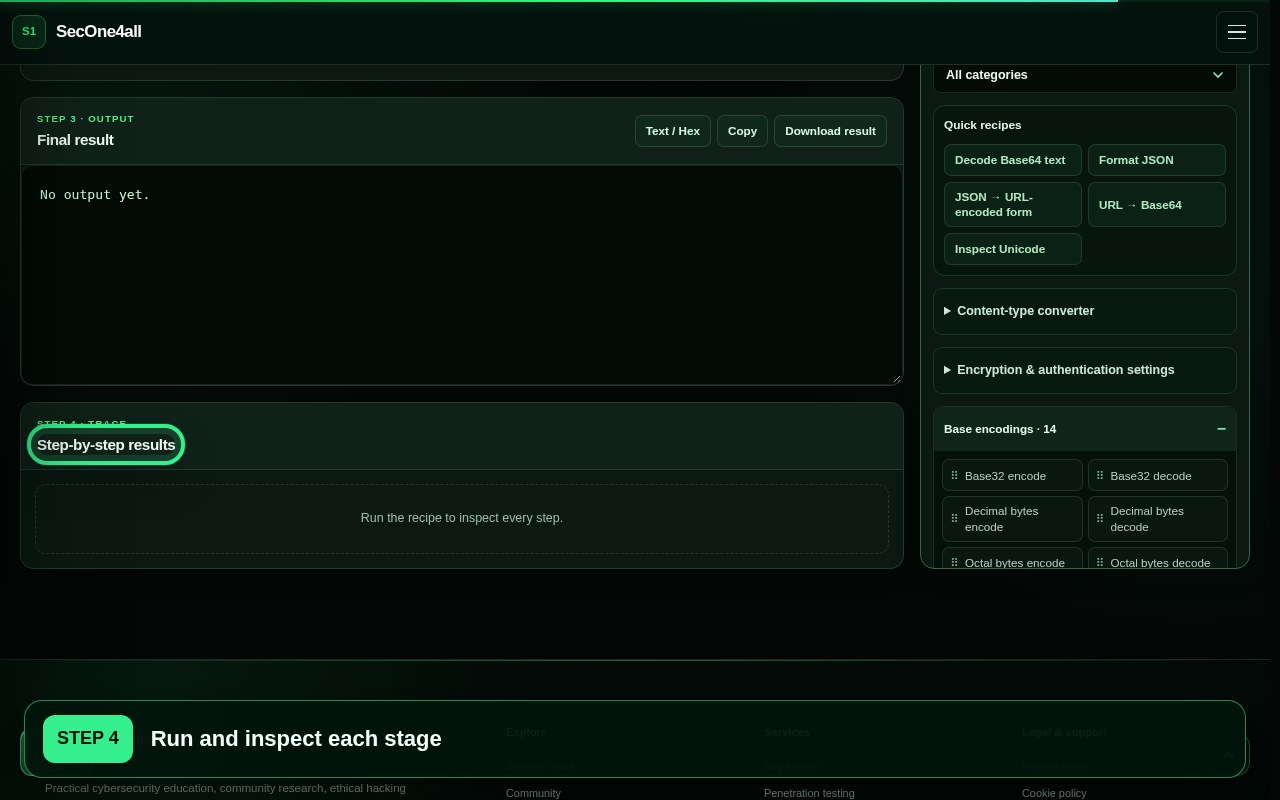
Step 4: Run and inspect each stage
Run the recipe and expand Step results.
What you will see: Every intermediate value is shown, making it easy to identify where the data changed.
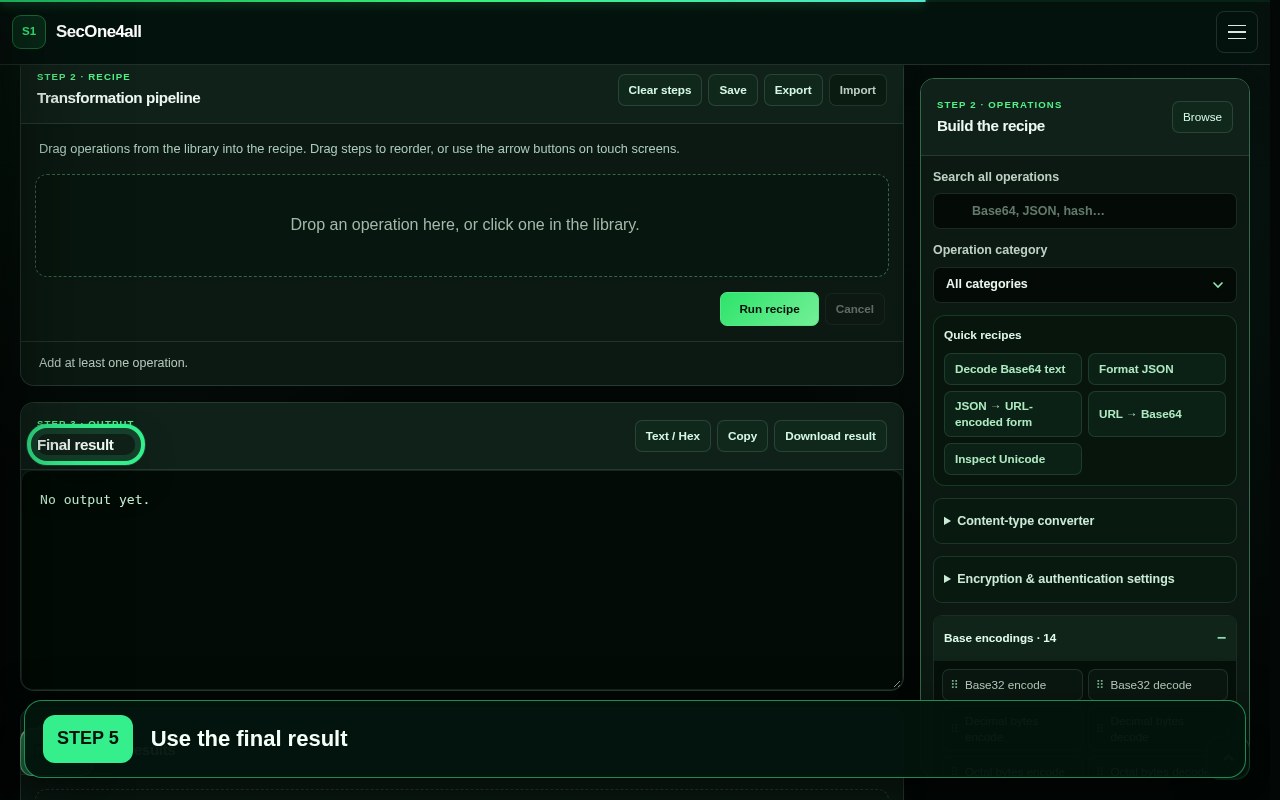
Step 5: Use the final result
Review and copy the Final result when the recipe produces the expected value.
What you will see: The transformed output is ready for the next workflow.
Open the feature
Use the button below to open the current SecOne4all interface and follow the same five steps.


Leave a Reply