Hacktivity Workspace: Continue Reading and Curate Research

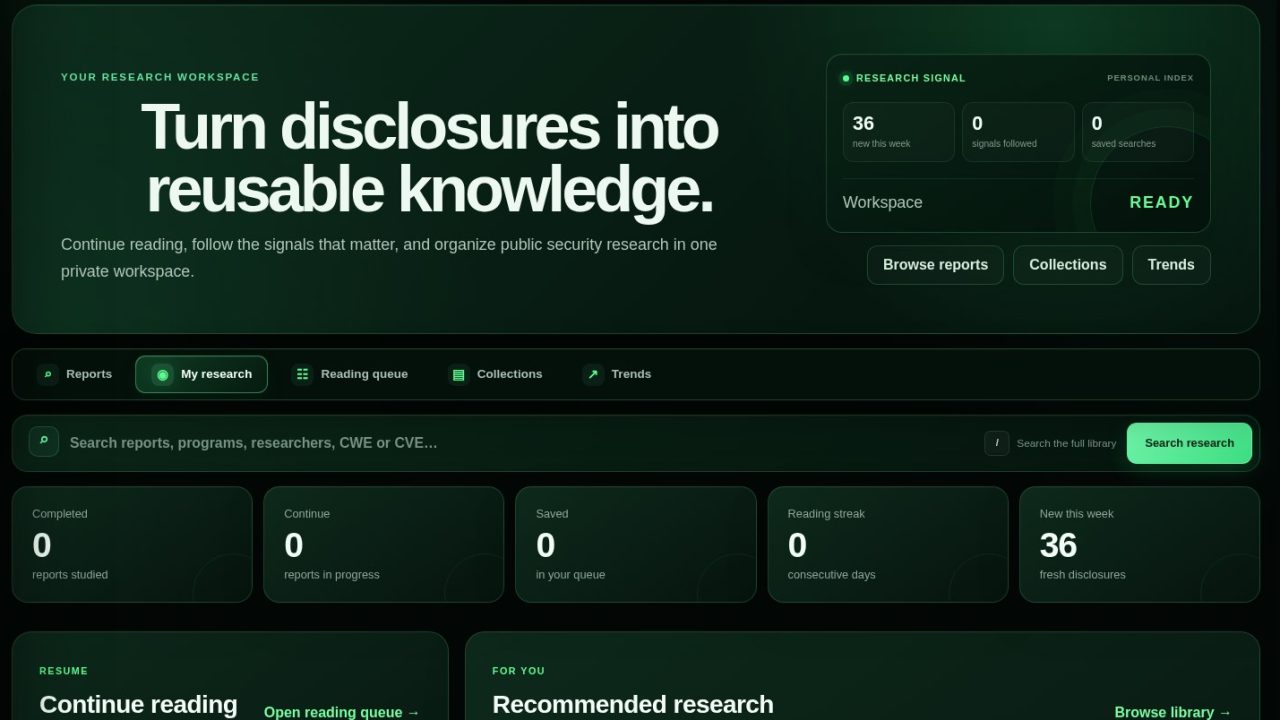
The Hacktivity workspace collects your ongoing research activity in one dashboard. It brings saved searches, followed subjects, collections, highlights, and reading progress together.
What this feature does
The Hacktivity workspace collects your ongoing research activity in one dashboard. It brings saved searches, followed subjects, collections, highlights, and reading progress together. The walkthrough below follows the current interface in the order shown on screen, and each step includes its own matching image.
Workflow at a glance
- 1.Continue an unfinished report
- 2.Review recommended research
- 3.Re-run a saved query
- 4.Manage follows and collections
- 5.Review highlights and digest settings
How to use the feature
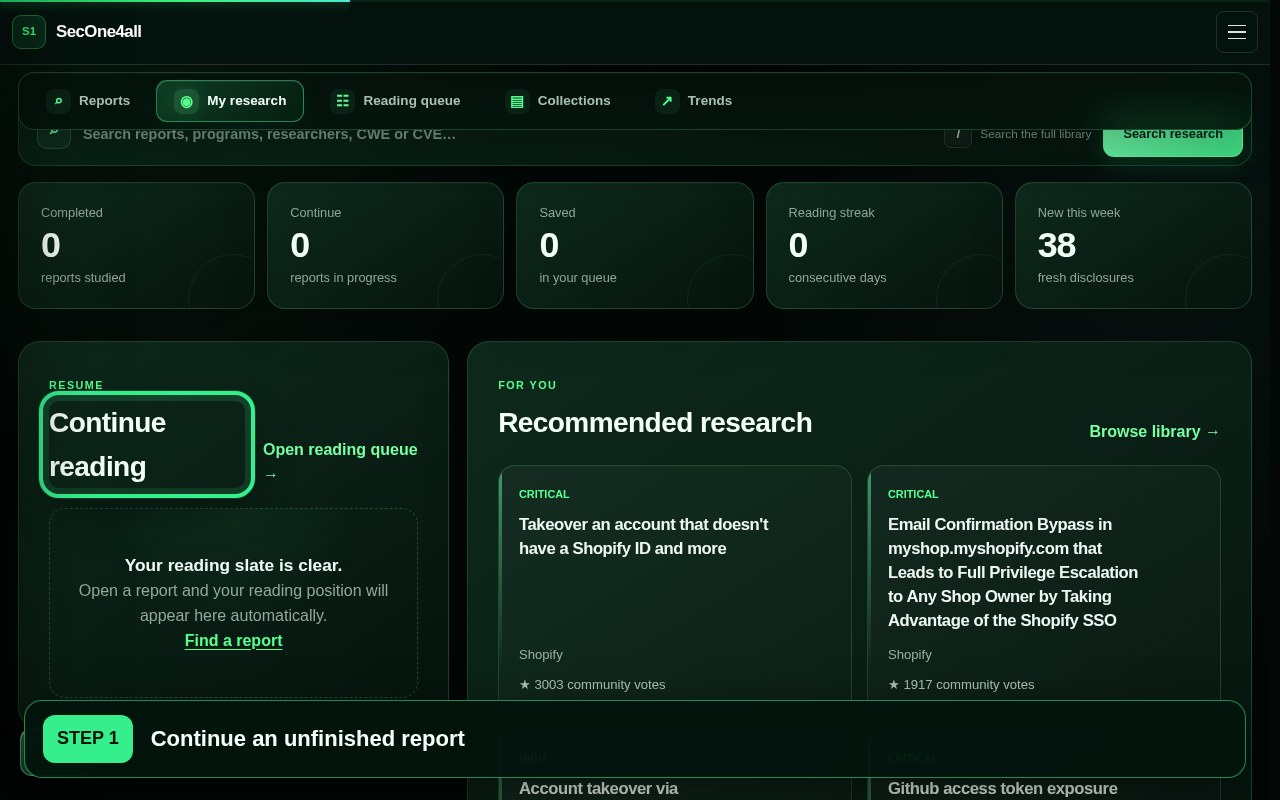
Step 1: Continue an unfinished report
Open Continue reading to return to a report at the point where you left it.
What you will see: You resume the active research item without searching for it again.
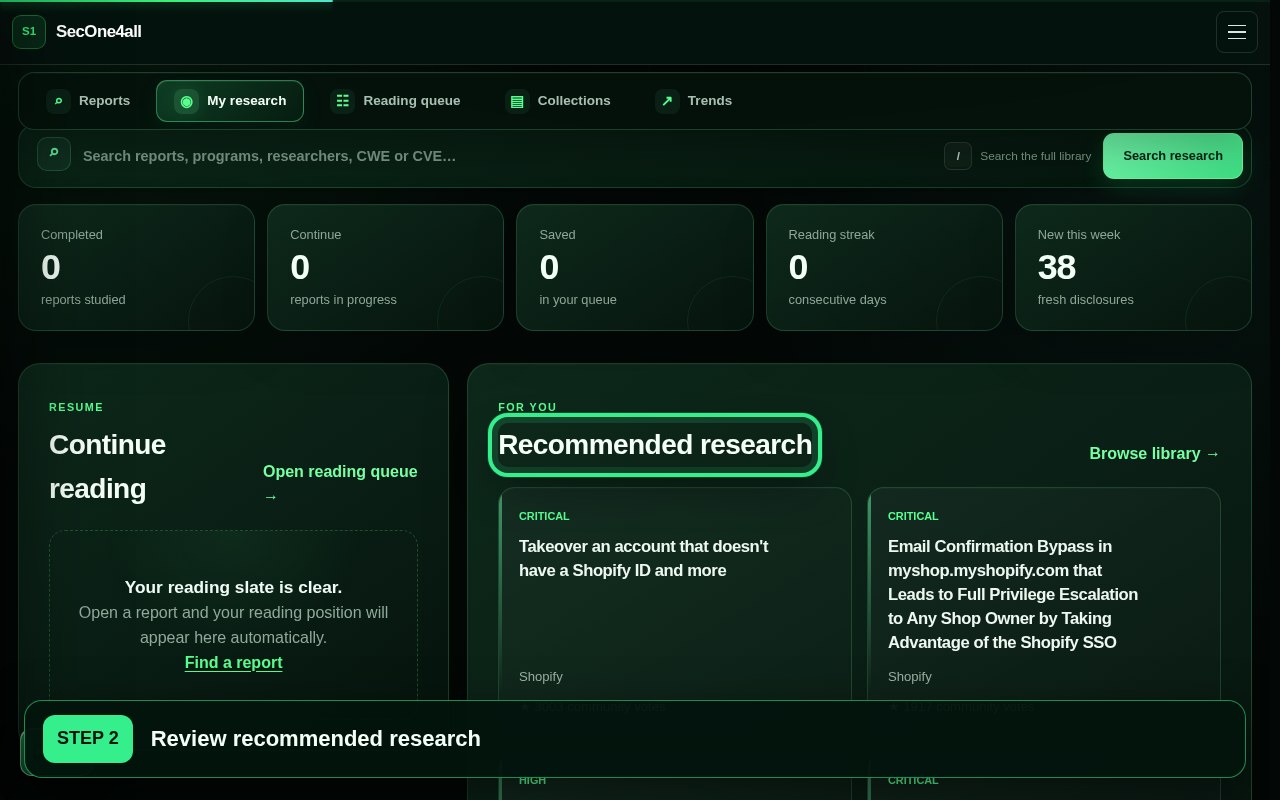
Step 2: Review recommended research
Use Recommended research to discover reports related to your saved activity.
What you will see: The recommendations provide a next reading path from the same dashboard.
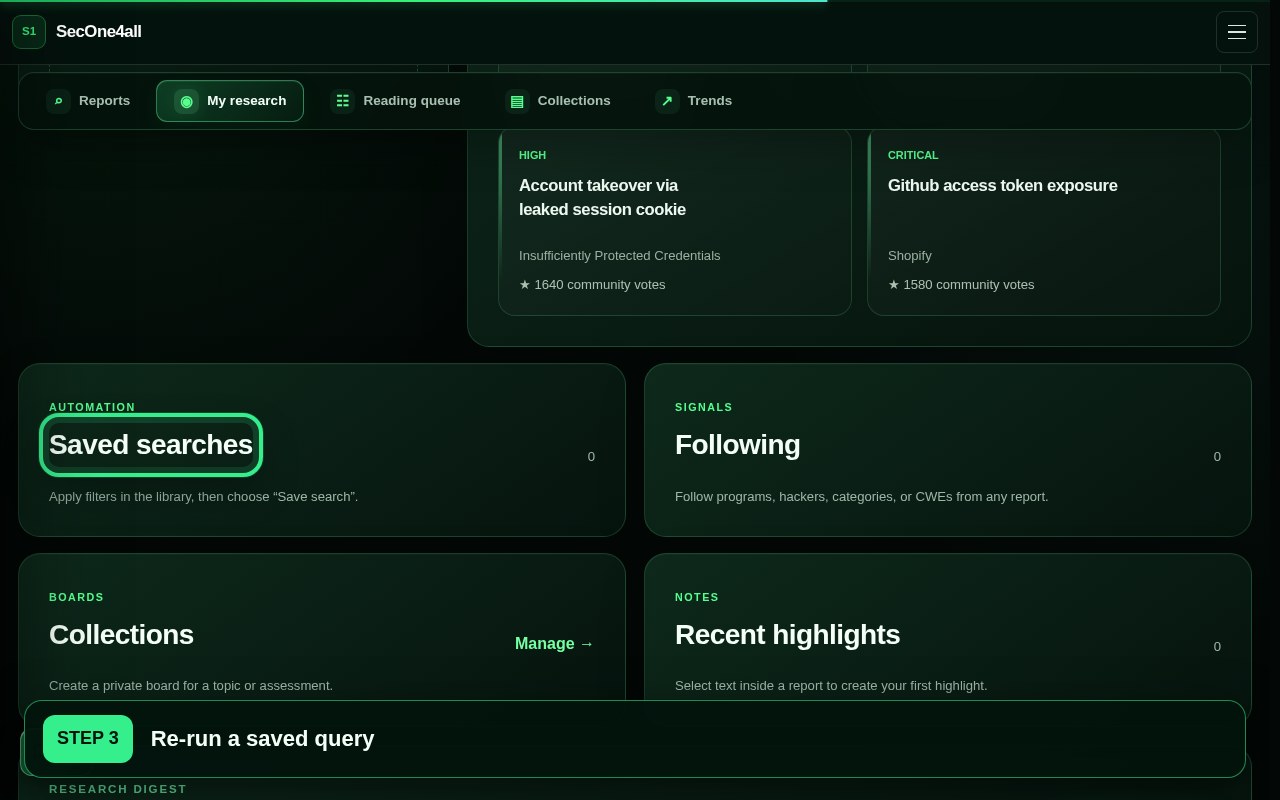
Step 3: Re-run a saved query
Open Saved searches and select one of your stored library filters.
What you will see: The Hacktivity library opens with that query ready to use.
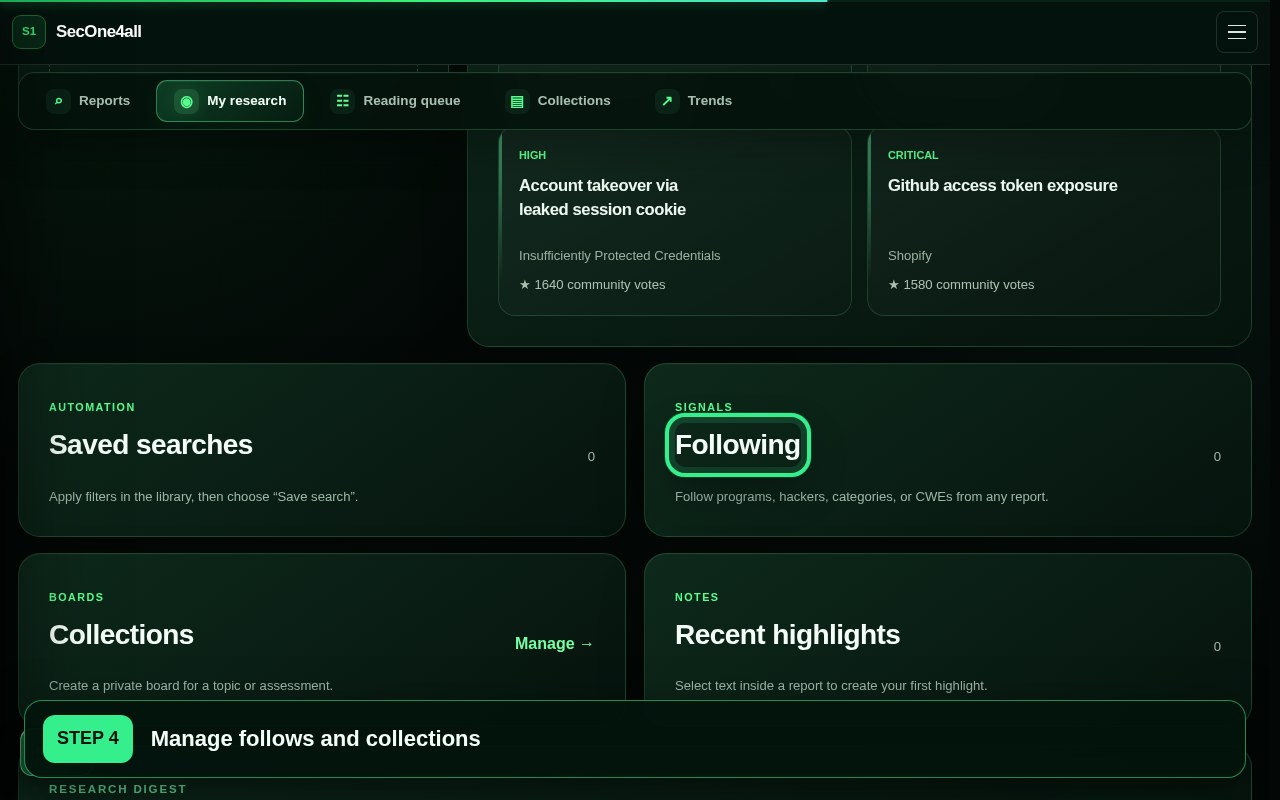
Step 4: Manage follows and collections
Review Following for tracked subjects, then open Collections to organize selected reports into named sets.
What you will see: Recurring interests and hand-picked reading lists remain separate and easy to revisit.
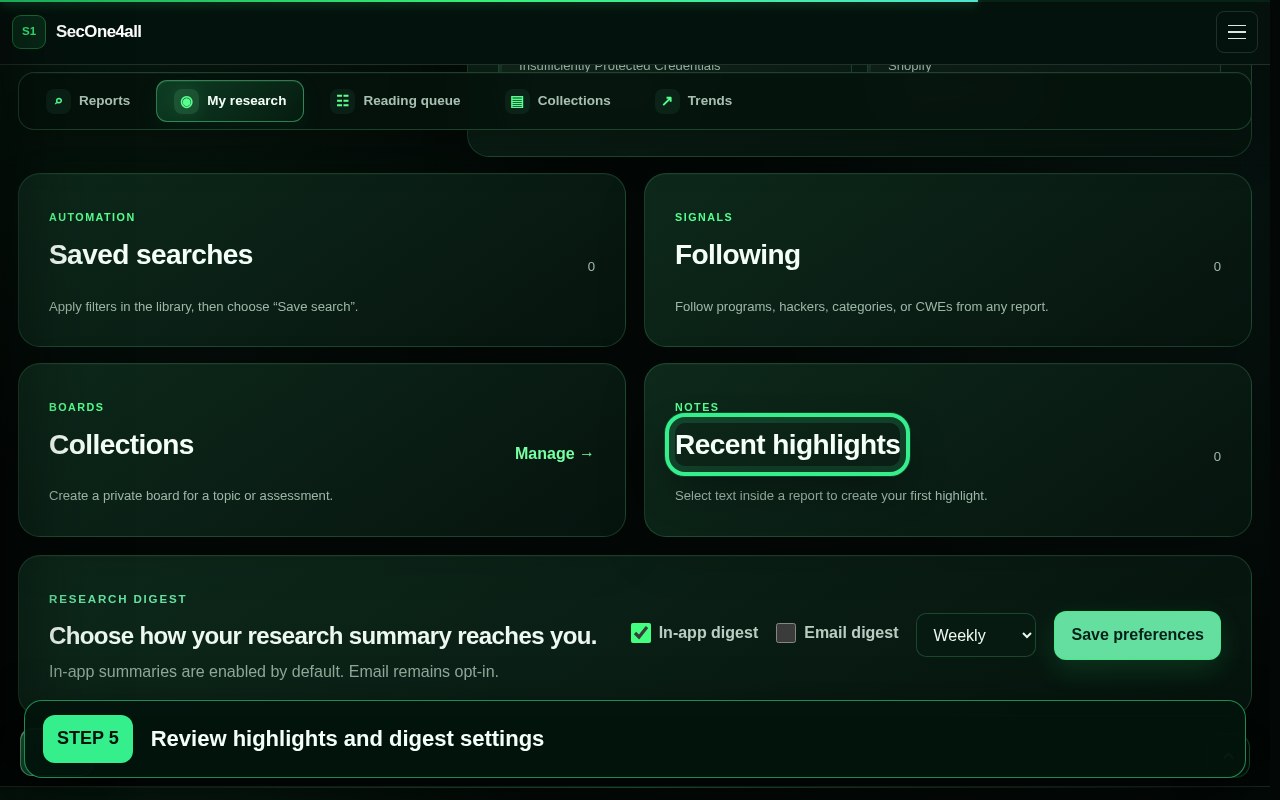
Step 5: Review highlights and digest settings
Open Recent highlights to revisit marked evidence, and use the digest preferences section to control the research summary.
What you will see: Your notes from reports and the cadence of workspace updates are managed from one screen.
Open the feature
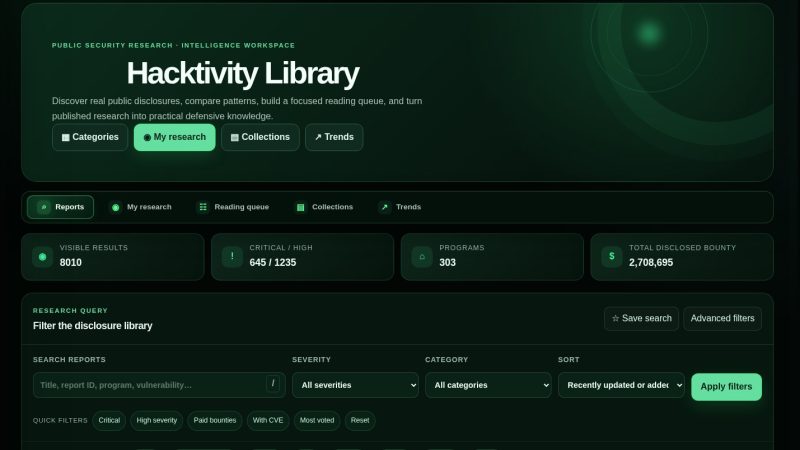
Use the button below to open the current SecOne4all interface and follow the same five steps.
Leave a Reply